Wednesday, August 4, 2021

Dyslexia Gold -- my REVIEW

Disclosure: I received this complimentary product through the Homeschool Review Crew

 A recent product that I was given access to in order to share my thoughts in a review is called Dyslexia Gold . No one in my family has been diagnosed with dyslexia, but I was interested to see more about the product and what it contained, and what claims it makes for helping children with dyslexia.

Dyslexia Gold
When you look at the website for the Dyslexia Gold product, before you even log in, there is a lot of information for those wishing to find out more about dyslexia. 
Reading through this information, I was very interested to read some things about some of the issues associated with dyslexia. When my son was little, he had a tracking problem, which was attributed to low muscle tone in his eyes. Going along with that, the eye doctor could also not pull his vision in to 20/20 until he was about sixteen. I'll talk more about this below :) I was also interested to read about the issues with binocular vision. For ever, I have not really had binocular vision--one eye is crazy dominant and the other just kind of hangs behind :) This is not usually a problem to me, other than trying to look in a binocular microscope or shooting, or things that use both eyes at once. I guess until I was pretty old I never realized that not everyone sees like I do. I think because of this, I do not like going to 3D movies, because I still look mostly out of one eye and the 3D glasses are made for using both eyes. I'll also refer to this below! So--although we do not have dyslexia (I think!) -- and don't have many of the other issues associated with it, these few segments hit home.

When the user logs in to the program, they can choose between four areas for their child to work in. There is a spelling program which claims to improve spelling greatly; there is a vision tracking program, full of fun games; there is a math (times tables) practice; and there is a fluency (reading) program. There are different activities in each section and they build upon each other as the student progresses and improves. The parent can view the student's progress and activity easily.

There are particular things that you can select, on the parent side. This is a program from England (I think!) and you will notice an accent in the spoken words; the parent can select American, British, or Scottish for the accent of the words. I had American chosen, and will note that there is still a bit of an accent, but it is not really too much of a problem, though for some of the spelling words you might have to make sure your student understands them (see my picture of what afternoon sounded like to me--if I were trying to sound out the word, it was different)


Anyhow, my kids are older now, college and upper high school, so the spelling, times tables, and reading were not really applicable to them (and they did not want to try them). The Vision Training section, on the other hand, was pretty fun :) with games like whack-a-mole and target shooting using 3D glasses. It was very interesting to me to see my child without vision issues use the target shooting game versus me, who had a difficult time using it. I think I could probably benefit from using this part of the program myself!


When my son was 6 years old (he is now 19), he was found to have tracking problems, right around the same time that he got glasses. To accomodate this and to help him strengthen his eye muscles (which were viewed as the cause of his tracking issues), we had these little monster finger puppets and we did eye exercises with them for five minutes a day. This continued on for a year and his tracking seemed to have improved, thankfully. (Another exercise he did was word searches, that was viewed as a helpful exercise for him as well.) I can see how the games and activities in this program within Dyslexia Gold . serve those same purposes and can be done independently. Looking back, I'm not sure that I would have wanted a computer doing this, instead of the time we spent each day together doing the exercises, but I'm sure it would have been a good supplement. 


So this review brought up some very interesting topics to our family :) And some reminiscences. If you have a child with dyslexia or tracking issues, you might want to look into this program. There are many options and it is a year-long subscription. At least check out the information on the home page--it is very helpful and informative!

If you'd like to hear more about Dyslexia Gold and other homeschooling families' thoughts about it, please click on the link below:

Dyslexia Gold

Tuesday, August 3, 2021

Help Your Kids Learn & Love the BIBLE -- my REVIEW

Disclosure: I received this complimentary product through the Homeschool Review Crew 

Reading the Bible is a very important part of the life of a believer in Christ. Reading the Bible also is not only for adults. In the book Help Your Kids Learn & Love the Bible  by Bethany House Publishers, the author Danika Cooley speaks to parents to help them instill a love of the Bible and an understanding of the importance of Bible reading in the lives of their children. She offers encouragement and practical ideas on this topic.


The author encourages readers to begin reading the Bible with their children at a young age, as well as allow them to sit quietly (but okay if they are fidgeting or playing out of sight on the floor) and listen to the preaching at church services. She points out some instances when her children have listened and learned when she did not realize that they were even engaged with listening. I guess that's not too surprising, really, as how many times do your kids come out with something totally unexpected that they saw or heard sometime when you were just doing errands or not actively observing with them? 

One statement that she made which I really liked was near the beginning of the book (and I can't find it now that I want to share it with you!!) -- I'll paraphrase or give my recollection of it :) She said something like choose a Bible version to use, and don't worry if some people think it is not kid-friendly--your child will learn from that version and you will explain it and talk to them about what you read in the Bible (in that version) and they will learn to understand the Bible in that version. (Hope I didn't butcher that thought! That's what I got out of it!) I like that explanation--God's Words are powerful and a version cannot keep them from your child's spirit.

There are lots of great ideas for how to make time and keep time for Bible reading with your children--ideas for preschoolers, elementary schoolers, middle schoolers, and highschoolers. There are ideas for study and faithful Bible reading.

The author gives examples from her family's life to show how they incorporate Bible reading, study, and discussion into their family's days.

The book is a softcover book, and it is written in a way that is very easy to read. The chapters are a nice length and the writing is really quite enjoyable and easy to read. You can read a bit and pick it up again later without wondering where you had left off. I know that some people don't relish reading non-fiction, but honestly, this is not written in a heavy way--it is written like someone is talking to you, sharing ideas. 

As I was reading this book, I kept thinking, oh, that's a great idea, I wish I had done that! You see, my children are upper high school and college aged, and it is a whole different ballgame, reading the Bible with them/encouraging them to read the Bible/etc. 

This book is definitely meant to be read by parents with younger children--the younger the better. It is full of great ideas and I definitely recommend this book to parents of young children.

To read thoughts of others who got to review this book also, please click on the link below:



Bethany House Publishers

Thursday, July 29, 2021

Fermentools -- my REVIEW

Disclosure: I received this complimentary product through the Homeschool Review Crew 

A few years ago I was given the opportunity to try a fermenting kit by Fermentools and I enjoyed it, though I was trying it out while we were packing up a household for a big


move. Somehow in and after that, my fermenting tools got lost and I just kind of forgot about it. I was so excited to have the chance to review the Fermentools Starter Kit this summer--and we are now huge fans. 


Fermentools


I knew that you could make sauerkraut with fermenting and a few other things as well, like kimchi, but I didn't really know what any of those tasted like (other than sauerkraut). I wanted to make something exciting, so I looked around the Fermentools website  to see if inspiration struck.

I found something on their site called "Curtido: Central America's Kimchi Cousin" and frankly, I have no idea how I found it on the site, as I had a hard time finding it a second time! (Fermentools people--if you are reading this--please make some sort of index or listing of your recipes!!)

I had the ingredients that were called for in the recipe so I decided to give it a try! It is basically just cabbage, carrots, onions, and a few jalapenos shredded/sliced very thinly. There is lime juice (I didn't have lime juice so I used lemon) as well as salt and fresh oregano (from my little herb garden, yay!) and I decided to add a little rosemary as well (since I brushed up against it in the garden and the smell was so enticing!).


Basically all I had to do was mix these ingredients up and press them into a 1/2 gallon mason jar--and let the salt do its thing--it made enough liquid within a few hours to almost cover the veggies so I made a little more brine and poured it in. The glass weight that comes with the Fermentools Starter Kit fits right in there and holds all of the veggies under the brine. The lid to put on has a little hole in it for the stopper and the airlock--and then I put it in my cupboard (for darkness) and waited!

Here are some pics of the "during" process:


After about ten days I took it out and voila! It is an amazing, crunchy, little bit sour, spicy, and salty delightful ... curtido! I don't really know how to categorize it--it is definitely not like sauerkraut, more like a spicy coleslaw with a little zing. 

Anyhow, we love it. We have been eating it just straight for snacks yummmm and with dinner too.


We are new fermenting fans! Seriously, if the only thing I ever make is curtido--I'm good with it--but looking at the Fermentools website, there are tons of other recipes to try, so I'll probably branch out! :) 

The Fermentools Starter Kit is super easy to use, and we got amazing results. Check out some other folks' reviews by clicking on the link graphic below and hear what delicious adventures they had!

Fermenting Food Made Easy with Fermentools

Wednesday, July 28, 2021

Virtual Physics Labs (CollegePrepScience.com) by Greg Landry -- my REVIEW

Disclosure: I received this complimentary product through the Homeschool Review Crew

Having homeschooled two kids all the way through high school, we have done our share of upper grade sciences--including lab work. Sometimes people ask me about lab sciences and if we have the opportunities to do lab work. In our family, many of the "labs" in the book are just read through by my kids--some are performed, but with me (a science teacher-type!) as a parent, they have already done many of the activities prior to the course! (just for fun, you know!) :) Others are done in a home setting, many with regular household items, others with lab equipment that we have.  The most recent review product we got to try out is Greg Landry's Homeschool Science  and the particular segment of that which we received was the 12-month access to Virtual, interactive homeschool laboratory for physics. My youngest is just finishing up physics, so this seemed like a good one for her to try. 


Greg Landry's Homeschool Science

The lab course is set up in the Canvas environment, so everything is laid out right there, easy to see--easy to use. [[side note--it's great for kids who anticipate heading to college to get to use Canvas, as they most likely will use a learning management system similar to it (if not Canvas, itself!) when they attend college. Okay, enough for my rabbit trail!]]

Within the Canvas platform, the student begins by reading an introductory paragraph from the teacher, and they may also view a lengthy video by the instructor which welcomes them and walks them through the importance of labs, the scientific method, how to write a lab report, and more. He also gives a little "field trip" through the virtual lab environment so that students will know what they're doing once they click into a lab. [[another rabbit trail--I appreciate the fact that when he is explaining writing the lab report he does not make it seem like this is the only way to do lab reports--every instructor wants these done a little bit differently--but he shares how to gather and include the appropriate data and information,which can then be formatted according to any instructor's preferred lab report style.]]


After viewing the introductory information, the student is ready to begin! For Physics, there are eleven labs for the student to perform:
Measurement in Science
Average Velocity and Speed
Effect of Pendulum Length on Period
Archimedes Principle
Work, Power and Caloric Expenditure
Viscosity of Liquids
Density Determination
Acceleration of Objects in Freefall
Electricity and Ohm's Law
Momentum
Newton's Second Law of Motion

The student selects a lab and begins by watching an introductory video 


They then log into the virtual environment (so handily the username and password are on the Canvas page!) and the laboratory set-up is available and the lab instructions are on the left hand margin of the page. 


The virtual lab is filled with "drawers" from which students can choose their required materials, whether they be beakers and test tubes or timers and pendulums. The sink is easy to use to dispense the required amounts of water and there are balances which the student can use to take the mass when necessary. Students quickly become familiar with lab equipment as it is available to them in the drawers and labelled for ease of use. Students click on items and drag them to use. Some of the "items" are a secondary virtual simulation environment that the student clicks start and stop and the data is displayed.

Students follow the instructions on the sidebar and collect the data. When they are done, they are encouraged to put the materials away and then create their lab report. The lab instructions on the left hand sidebar direct students to perform the calculations and data manipulations necessary for the lab (these are also introduced in the background video for the lab). 

There is a sample lab report on the Canvas page and students can follow its pattern. Here's a sample of one which my daughter made after going through the Average Velocity and Speed lab: 

In summary, the  Virtual, interactive homeschool laboratory for physics were easy to use and showed the concepts that they claimed to. I am definitely a fan of virtual labs for homeschooled students, as they can "experience" a laboratory setting (though nothing can fully replicate the actual experience!) I have previously written about a neat virtual lab that I found elsewhere. So I do like virtual labs. I do think that this program is a great addition to the homeschool science program, if you do not mind the cost. Our family would not purchase access to these labs because of the cost. The virtual environment that is presented is very professional and easy to use, very nicely done.  You can read about other families' thoughts on these products by clicking the link graphic at the bottom of the page.

This company not only provides virtual labs, but they also offer a wide variety of different high school science courses. Several people from the Review Crew got to review these as well, so you will get to read about other products by the company also. Please click on the graphic link below to see reviews of the different products by Greg Landry's Homeschool Science


Online College Prep Science Classes with Greg Landry

Sunday, July 18, 2021

Knitting


 New project...working on some little knitted trees for Christmas craft fairs! Cute, huh? :)

Friday, July 9, 2021

Summer rains

Summer rainstorms can be so soothing and almost mesmerizing...when you have nothing you need to do outdoors and when you are cozy and dry...on the other hand, when you're camping or working outdoors it is hard to be as appreciative! :) 
Thankful for a relaxing rain today.


Wednesday, July 7, 2021

CTC Math--my REVIEW

 Disclosure: I received this complimentary product through the Homeschool Review Crew

Math. Homeschool families have so many different ways of teaching math to their students! There are so many different curricula and so many different ways of teaching and learning. It can be overwhelming to try to figure out what works well for your student! Last year I was able to review a program called CTC math and this year I got to try it out again--checking out a different level of coursework. CTC Math is a 12-month subscription to a huge lot of math lessons for different ages of students. 

CTCMath
This math program is something that every member of the family can use, learning math topics from kindergarten up through calculus! It is easy to use for both the parent and the students and is quite comprehensive on math topics.

 From kindergarten to calculus!
 

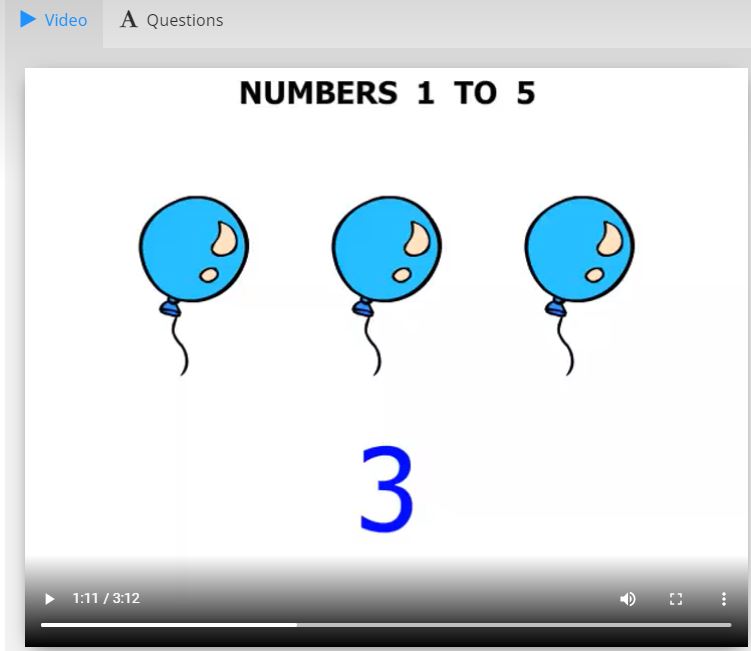
The lessons are easy to use--they consist of a teaching video (not too long--all of the ones I viewed are less than ten minutes)--the videos themselves are easy to follow, clearly taught, the speaking is slow and precise, and the lessons are easy to understand.

Each lesson also has questions for the student to answer--some are in an easy fill-in-the-blank type format and they are marked as correct or incorrect right away. In the upper calculus course they are in a different format where the student opens the worksheet, solves the problems, enters their solutions and receives the score and the solutions. If they get some incorrect, they are given the opportunity to re-try.


I really appreciate the fact that the student is allowed to see the solution, because if they got it incorrect, this is a huge help--also if they guessed and got it right ( not my recommendation!!) they will be able to see the proper way to solve the problem.

In the precalculus class students view the video then complete the questions and then there is the additional option to complete a worksheet--which is downloadable as a .pdf--this is great for students who like to work from a paper worksheet.


There is a really neat feature which allows this to be used with a device without a keyboard--check out the picture below to see how the keyboard pops up when the keyboard icon is clicked. This is a nice feature to be included!

From the parent side of things, the program is so easy to use as well. The parent can set lessons for the student which need to be completed or the student can work straight through the course. The parent can view the student's progress very easily--and they can also view how much work their student has done...and when they did it. Actually, a progress report is emailed to the parent weekly! This most recent email I received about my own work on the course shows nothing...we were on vacation :) But it will give you an idea of how the email reports work:

This is emailed weekly to the parent email.

Parents can also easily access their student's reports from their parent dashboard.

I definitely like this CTC Math program--it is so versatile and can be used by students of every age. It is a traditionally-taught math, which is the way I do math and the way I teach math. There are calculations as well as word problems--and the range of topics is extensive and complete. I do recommend this program and hope you will check it out! I'm actually recommending it to my college kiddo to keep his calculus skills strong over the summer--quick and easy to use!

To see more reviews of this thorough math program by CTC Math, please click on the link below and read other families' thoughts on this curriculum!

Online Homeschool Math with CTCMath